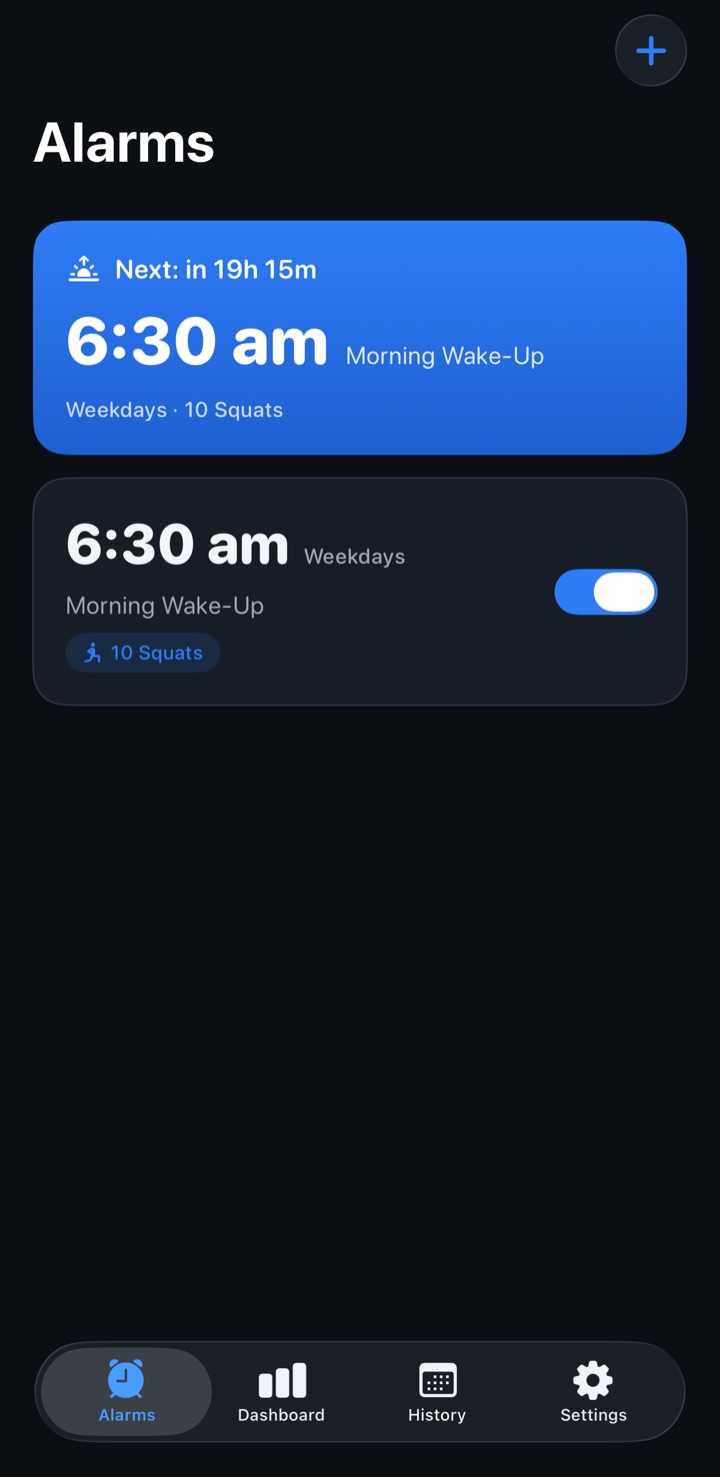
Set up your first squat alarm
- Choose your time and repeat days. Create a squat alarm in Waiker. Choose a morning wake-up or a time during the day.
- Choose your squat target. Pick Easy (5), Normal (10), Hard (15), Extreme (25), or a custom count. Choose a target you can comfortably and safely complete.
- Allow the permissions your alarm needs. Enable notifications and camera access. On iOS 26 and later, also allow system alarms. Use the app's Test your alarm screen to check your setup.
- Prepare a stable phone position. Prop your iPhone where the front camera can see your body, with clear space to move. Check the preview before relying on your first alarm.
An optional alarm lock window prevents you from weakening or turning off an alarm inside the chosen window before it rings. Set it thoughtfully while you are planning your routine.
How the camera counts your reps
During a mission, Waiker uses Apple's Vision body-pose detection to follow your movement. Lower into a squat and return to standing so the app can count a complete rep. Follow the on-screen rep count and guidance.
Body-pose detection runs on your iPhone. Camera frames are processed in memory; no video is saved or uploaded. Make sure the camera can see you clearly, and adjust the phone position if reps are not being detected. Read the app privacy policy.
What iOS controls when an alarm rings
Waiker has no normal snooze button in its own ringing screen. That does not remove Apple's system controls.
- iOS 26 and later
- Waiker uses AlarmKit system alarms, including lock-screen alerts. Apple provides Stop and volume-button silencing. Follow-up alerts depend on the app's scheduling state and system delivery.
- iOS 17–25
- Waiker uses local notification reminders. Sound delivery depends on notification permissions, ringer volume, the silent switch, and Focus settings. Follow-up reminder waves are limited in duration.
No alarm app can force itself open, raise your volume, or prevent you from closing it. Test the alarm on your own device, and keep a backup alarm when missing a wake-up would be a problem.
Stop safely with emergency dismiss
Every mission includes a 3-second hold-to-confirm emergency dismiss. Use it whenever you cannot safely complete the squats. An emergency dismiss is recorded separately and does not count as a completed squat mission.
Waiker is not a medical device. Only do squats if they are safe for you, and clear your space before starting.
Use Waiker beyond the morning
You can schedule squat alarms during the day as movement reminders, or start Squats on demand without waiting for an alarm. The app also keeps session history, streaks, and squat totals. Learn how to plan a movement break with Waiker.
Try the browser squat demo for an illustration of the idea. The demo uses a button; the app uses your camera.